
Comparison
How to Save a Part of a YouTube Video — 5 Methods Honestly Compared
You watched a 45-minute tutorial. The part you needed was at 23:17. How do you find it again next month?
Most search results for save part of YouTube video push you toward a trimmer-downloader. Some of those tools disappeared overnight — IFPI shut down Y2mate and eleven similar sites in October 2025, after a year that saw roughly 620 million combined visits across them. So that's not the answer. Neither is yt-dlp, which breaches YouTube's Terms of Service and isn't something we recommend.
What works depends on what you're trying to do. Are you firing off a single share to a friend? Or are you trying to remember the moment six months from now? Different problems. Different tools.
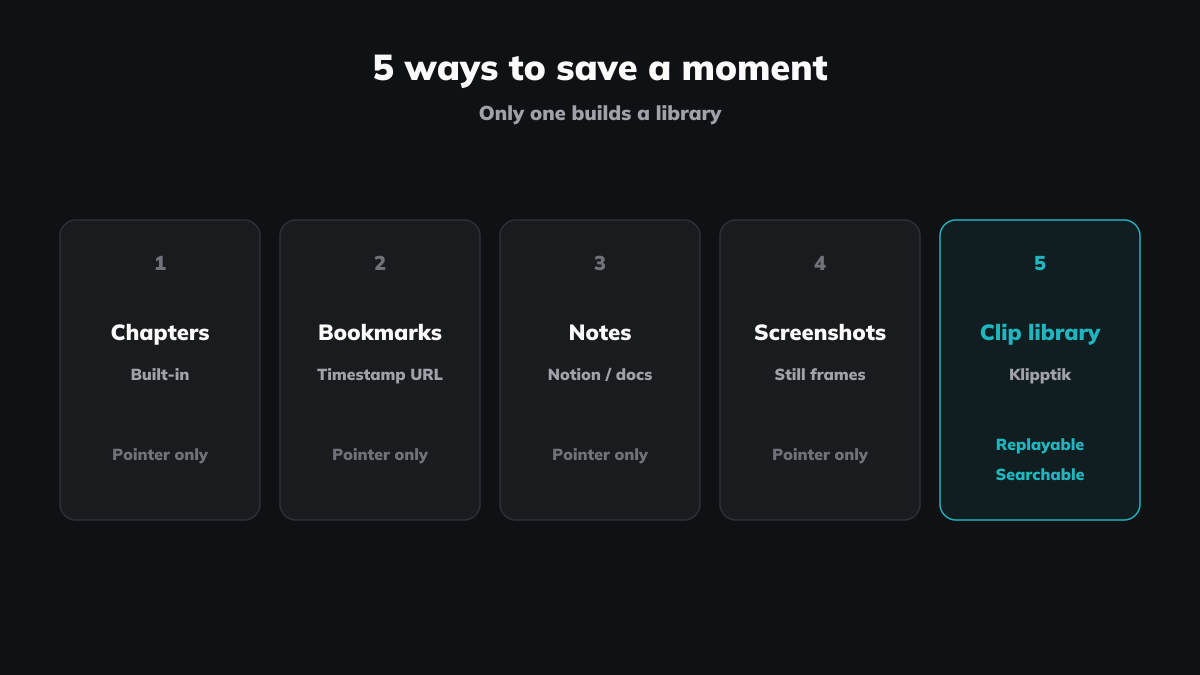
Here are five honest options.
Method 1 — YouTube's own features
YouTube has three features that touch on saving moments: timestamp URLs, creator chapters, and native Clips. None of them organise.
Timestamp URLs. Paste &t=23m17s onto any link and the video starts at that second. Free, works, shares cleanly. But the link goes into a bookmark or chat message and disappears — no library, no tag, no way back unless you remember where you stuffed it.
Creator chapters. Useful for navigation. Useless for saving anything specific — chapters are wherever the creator drew the line, not where your moment starts. The diagram you cared about is at 6:48; the chapter break is at 6:00. You can't define your own.
Native Clips. Caps at 60 seconds (minimum 5). A 90-second walkthrough won't fit. Creators can disable clipping per video, and many do. Clips live in a flat list — no tags, no folders, no search. They only exist inside YouTube; your local files, your Vimeo lectures, your Twitch recordings might as well not exist.
Verdict. Fine for sharing a 30-second moment to a friend inside YouTube. Wrong tool for anything you want to come back to.
Method 2 — Browser bookmarks with ?t= URLs
Paste a YouTube URL with ?t=83 (that's 83 seconds in) into your bookmarks bar. Free. Works. Survives a tab close.
It collapses past about a dozen. The bookmarks bar runs out of room. The URLs are opaque — youtu.be/abc?t=192 doesn't tell you what's at 192 seconds three weeks from now. No search, no tags, no notes.
Verdict. Fine for a handful of high-value links. Falls apart the moment you try to grow it.
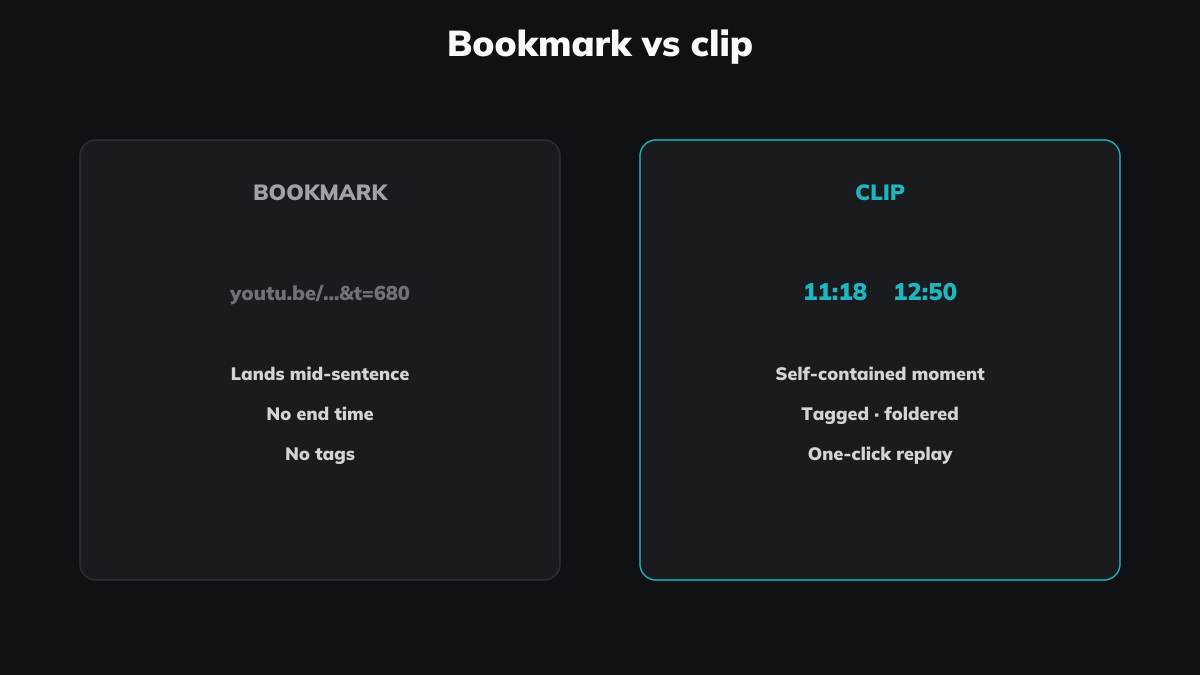
Method 3 — Paste links into Notion or Google Docs
Open a page. Paste the link with a timestamp. Write a sentence about why it matters. Repeat.
Context lives next to the link. Your notes are searchable. But clicking the link opens a new tab — the video plays somewhere else and you're juggling two windows. You can't replay three saved moments back-to-back. You can't tag the clips and play them as a sequence.
Verdict. Good if your real artefact is the notes and the video is a citation. Poor if the video moment is itself the thing you want to keep.
Method 4 — Screenshots plus written notes
Pause the video. Take a screenshot. Drop it in a notes app with a caption.
Works for visual moments — diagrams, recipe steps, on-screen code, a Kurzgesagt frame. The image carries the information.
Fails for everything else. A screenshot of someone mid-sentence captures none of what they said. Forty seconds of explanation reduces to one frame. You can't replay the moment.
Verdict. Solid for visuals. Lossy when the explanation is in the speech.
Method 5 — Clip and organise across sources
Mark a start. Mark an end. Tag the clip. Drop it in a folder. Search. Play three clips from three videos back-to-back as a sequence.
This is what Klipptik does. No length cap. No creator opt-out — the clip is a reference, not a copy; the video plays through YouTube's player. Works on YouTube, Vimeo, Twitch, and local files. One library across every source.
A concrete example. You watched an Ali Abdaal video on time blocking last month. The 90-second bit you wanted was around the 6:48 mark. You clip it, tag it time blocking, drop it in systems-to-try. Three weeks later, before a Monday planning session, you search time blocking — the clip plays.
It's not the answer for one-off sharing. For that, Method 1 is faster. Method 5 is for the moments you want to keep.
Verdict. The only one of the five that builds a library you can use a year from now.
What about downloaders?
The other thing search results push: tools that download a chunk as MP4 — Y2mate, SliceTube, ytcutter, plus yt-dlp for the technical crowd.
We don't go there. Stream-ripping breaches YouTube's Terms of Service, and the tools have a survival problem — IFPI shut down twelve of the largest in October 2025. Build a workflow around any of them and the workflow's gone the day they're gone.
Full case in How to tell if a YouTube clipper will still exist in a year.
At a glance
| Method | Length cap | Cross-source | Library | Tags | Sequence replay | One-off share | Survives long-term |
|---|---|---|---|---|---|---|---|
| YouTube native | 60s | YouTube only | No | No | No | Yes (fastest) | YouTube-dependent |
| Browser bookmarks | None | Any URL | At ~12, no | No | No | Yes (link) | Yes, awkwardly |
| Notion / Docs | None | Any URL | Notes, not video | Yes (text) | No | Yes (link) | Yes |
| Screenshots + notes | N/A | Any source | Yes (static) | Yes | No | Yes (image) | Yes |
| Klipptik | None | YouTube, Vimeo, Twitch, local | Yes (clips) | Yes | Yes | Yes | Yes |
What makes Klipptik different
The other four methods save individual moments. Klipptik lets you build with them.
Here's what that means. You collect five clips on the cardiac cycle from five different lecturers. You drag them into one group, name it, share the link. Your study partner opens it and watches all five back-to-back, in the order you chose. That group has its own URL. It's called a Klipptik.
It works anywhere clips add up. Five tactical moments from five matches becomes one Klipptik for a player. Three answers to the same React bug becomes one Klipptik your team can search.
The clips are references, not copies. The videos play through their own platforms. The creator still gets the view. Nothing gets downloaded.
You didn't make the source videos. You arranged them. The arrangement is yours.
So which one?
The real question isn't "which method?" — it's "what are you trying to do?"
Quick share, one moment, never need it again — native Clips, if it's on YouTube and the creator allows it.
A handful of high-value references you'll come back to — a ?t= URL in your bookmarks, until you have more than a dozen.
Notes are your artefact and the video is a citation — paste the link into Notion or Docs.
The moment is a visual frame — a screenshot in a notes app.
The moment is anything you want to keep, find again, organise, and replay — clip it and build a library.
The honest test isn't which sounds clever in an article. It's whether you'll still be using it six months from now. Native Clips and bookmarks die from neglect. Screenshots pile up unsorted. Notes drift. A clip library survives because every entry pays its own way the moment you reach for it — and the cost of adding one more clip is twenty seconds. That's the only test that matters.
Start building your library — free, no account required.