Comparison
What Notion, Obsidian, and Anki Can't Do with Video
You already have a system for text. Maybe it's Notion databases with linked pages and rollups. Maybe it's an Obsidian vault with 800 notes and a graph view that looks like a nervous system. Maybe it's a stack of Anki decks that got you through medical school.
But what about the 10 hours of video you watched this week?
Conference talks. Coding tutorials. Lecture recordings. YouTube deep dives on topics you swore you'd remember. Where does that knowledge live in your system?
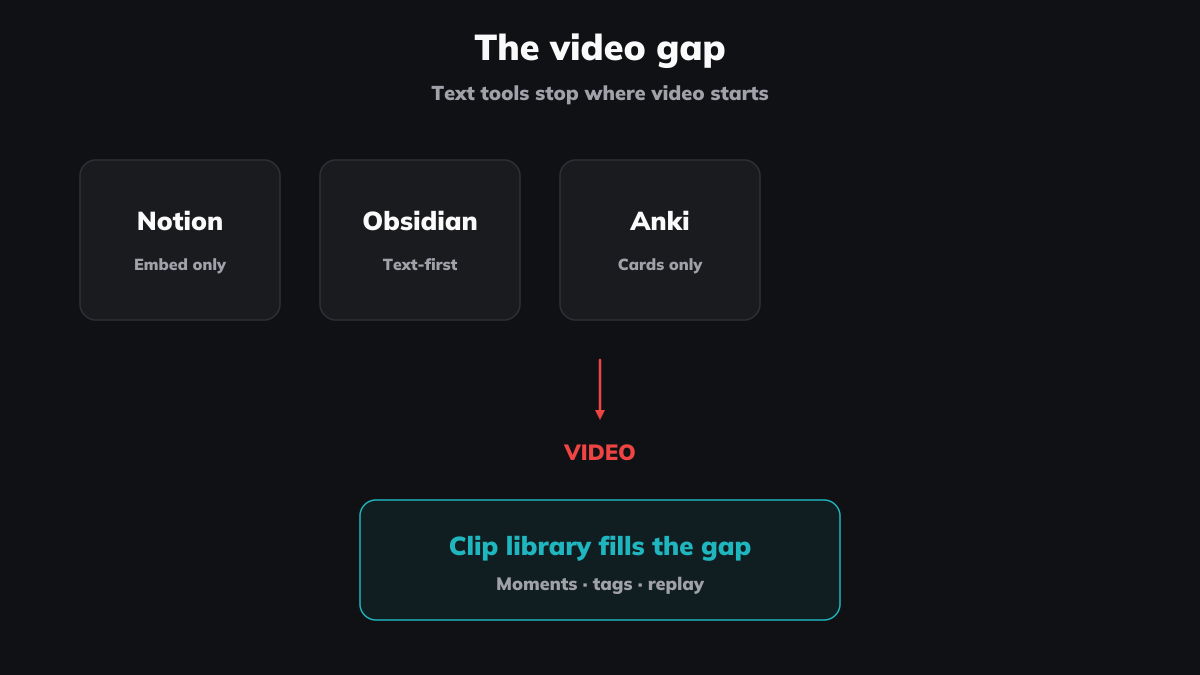
For most people: it doesn't. Text has tools. Video has a Watch Later list and some timestamped URLs scattered across your notes. This isn’t a criticism of the tools — Notion, Obsidian, and Anki are exceptional at what they do. But video is the gap in every personal knowledge management setup I've seen, including my own.
Notion: great workspace, awkward with video
Notion lets you embed a YouTube video by pasting a URL. You get an iframe. You can play it. And that's roughly where the video support ends.
You can't mark a start and end point within that embed. You can't clip a 30-second segment from a 45-minute video. You can’t search your workspace for “that moment where the presenter explained the 80/20 rule” — because Notion doesn't know what's inside the video. It only knows you pasted a link.
The workaround most people use: type timestamps manually in text blocks below the embed. "14:32 — good explanation of a key concept." This works until you have 50 videos with timestamps. Then you need that explanation, and you're scrolling through pages trying to remember which video it was in and whether you wrote the concept name correctly.
Notion's video embed is a window into YouTube. It's not a tool for working with the content inside.
Obsidian: powerful plugins, still text-first
Obsidian's community has tried harder than anyone to solve this. The Media Extended plugin lets you embed YouTube or local videos with clickable timestamps and screenshot capture. YTranscript pulls full transcripts with timestamped lines. HoverNotes (a Chrome extension) captures timestamped screenshots and saves them as Markdown files directly to your vault.
These are genuinely useful. If you're an Obsidian user taking notes from video, Media Extended with its clickable timestamps is probably the best option available right now.
But here's what every Obsidian video plugin does: it converts video into text and images. Timestamps become clickable links that open YouTube at a specific point. Screenshots become static images in your notes. Transcripts become searchable text blocks.
The output is always a note about the video. Not the video moment itself.
You can't build a library of 200 clipped moments across 60 different videos and filter them by tag. You can't play a sequence of clips back-to-back (your five best explanations of React hooks, pulled from five different creators, played in order). You can't share a curated set of moments with someone else.
Obsidian is a text-and-links tool that has been stretched to accommodate video. The plugins are impressive. But the underlying model — "video is something you take notes about" — limits how far they can go.
Anki: spaced repetition without the video
Anki is the gold standard for spaced repetition. The algorithm is proven. The ecosystem is enormous. And creating a video flashcard is... painful.
You can embed a YouTube video in an Anki card using raw HTML — an iframe with a ?start=30 parameter to begin at a specific timestamp. There's no end time. No playback control. No way to mark a precise segment. The card shows an embedded YouTube player, and you manually seek to the part you wanted.
Third-party tools like AnkiDecks generate flashcards from YouTube transcripts — but they produce text cards, not video cards. The video is gone. You're studying text that was extracted from audio that was extracted from a visual explanation. Each conversion loses something.
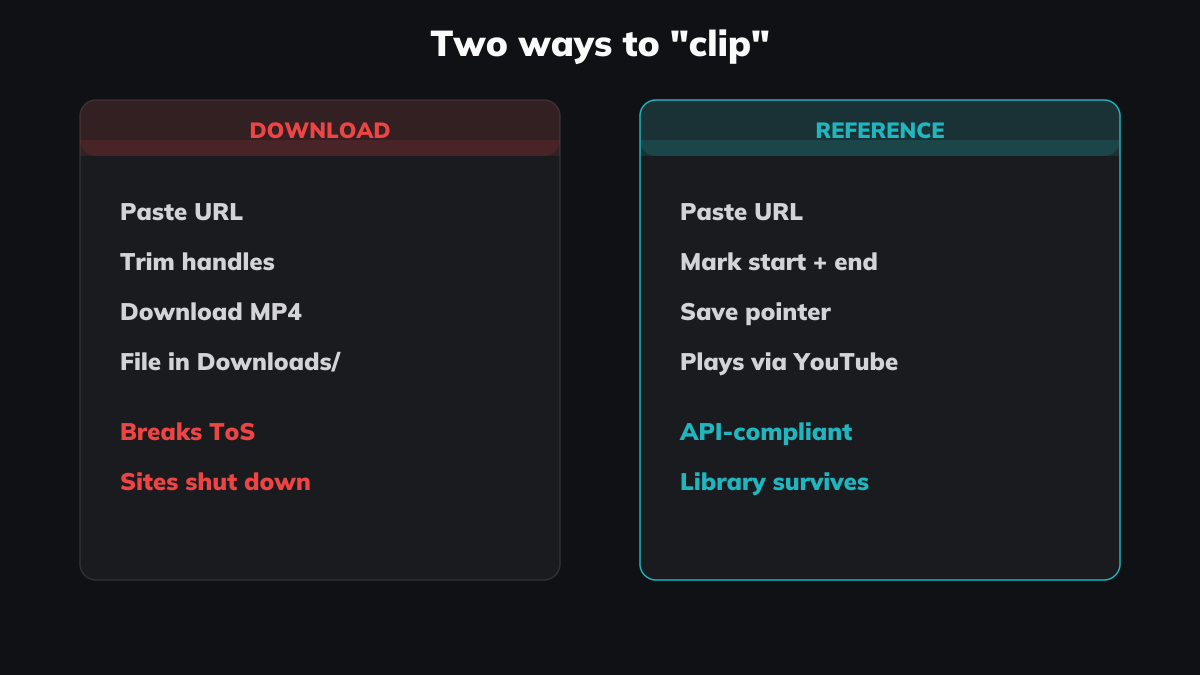
On the Anki subreddit, the most common answer to "how do I add video clips to Anki?" involves downloading the video with a third-party tool, trimming it in a video editor, exporting as MP4, and importing the file into a card. That's a 10-minute process per clip. Nobody sustains that for 200 clips.
Anki's spaced repetition algorithm is excellent. But the input format — text and static images — means video knowledge has to be flattened before it fits. And flattening loses the thing that made the video useful in the first place: the visual, the voice, the pacing of the explanation.
The actual gap
The pattern across all three tools is the same: video is treated as a source you extract text from, not as a medium you work with directly.
This makes sense historically. These tools were built for text. Notes, documents, flashcards — all text-native formats. Video was the thing you watched before you opened your knowledge tool, not something you worked with inside it.
But that model breaks down as video becomes a primary learning source. YouTube has over 800 million videos (Statista, 2024). University lectures are recorded. Screen recordings capture coding sessions. Conference talks go online the same week. The proportion of knowledge that lives in video — not text — grows every year.
A video-first knowledge tool needs to do things that text-first tools fundamentally don't:
- Clip with precision — mark a start time and end time, not just a timestamp. The difference matters. A timestamp is a pointer. A clip is a defined segment with boundaries.
- Build a library across sources — your clips from a Kurzgesagt video, a TED talk, and a local lecture recording all live in the same searchable, taggable library.
- Replay, not re-read — the value of the clip is the original presentation. The voice, the visuals, the pacing. Replaying a 40-second explanation is fundamentally different from reading a sentence you wrote about it.
- Support spaced revisiting — not Anki-style flashcard algorithms (that's a different tool for a different purpose), but the ability to search "negotiation techniques" three months from now and instantly replay the explanation that clicked for you.
Klipptik fills the gap — it doesn't replace what you have
This isn't an either/or choice. You don't abandon Notion to use Klipptik any more than you abandon Notion to use Anki. They're different tools for different knowledge formats.
The extraction habit from The Forgetting Curve post applies directly here. Clipping while you watch is the video equivalent of highlighting while you read. The clips accumulate into a library. The library becomes searchable. And because each clip is the actual video moment — not text about it — revisiting a clip gives you the full context of the original explanation.
If you're an Obsidian user, your vault stays your vault. Klipptik isn't trying to be your second brain. It's trying to be the part of your second brain that handles video — the part that Obsidian plugins are reaching toward but can't quite get to, because Obsidian is (correctly) built around text.
Add video to your knowledge stack — try Klipptik free, no account required.