
Opinion
The YouTube Library Problem
Open Watch Later. Scroll. 847 videos you swore you'd watch (or whatever your real number is). A TED talk on negotiation. Three Kurzgesagt videos on biology. An Ali Abdaal essay on productivity. A 2-hour conference talk a friend sent on Slack. You've watched twelve of them.
This is normal. Whole Reddit threads compare Watch Later sizes — 100, 500, "1000 videos or so" — with people admitting "I just delete them because I probably won't watch it" (r/youtube). Over on r/PKMS the same conversation runs in a different accent: how does anyone curate the volume of video coming at them? The top-voted reply is essentially "you can't — get a habit."
You don't have a YouTube problem. You have a library problem.
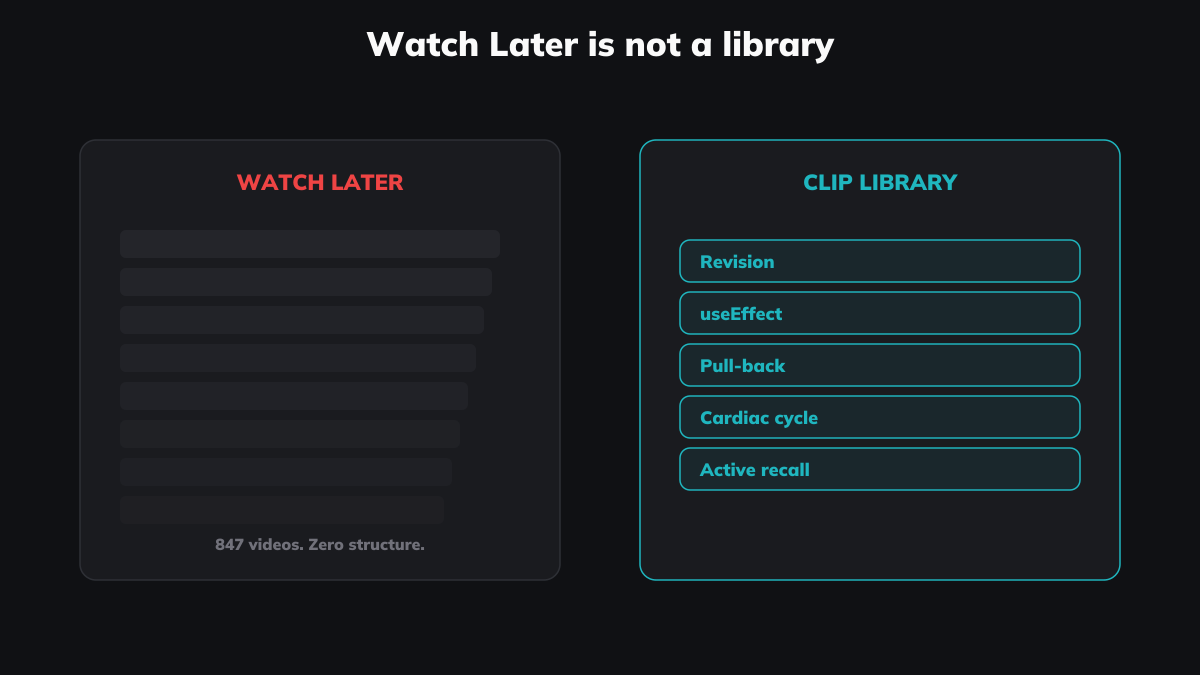
The bookmarking fallacy
Saving a video is not the same as knowing what's in it.
This sounds obvious. The entire infrastructure for saving YouTube videos pretends otherwise. Click the Watch Later button and YouTube treats you as if you've taken meaningful action — the video disappears from your homepage, gets a slot in your "library," and the interface gives you the small dopamine hit of completed task. Except you haven't filed anything. You've put a name in a queue.
A real library has an index. A real library has categories. A real library has a curator who knows roughly what's where, and why each item earned its place. Your Watch Later has none of that. It's a single FIFO queue, sorted by date added, with no tags, no folders, no search across content, and no idea what's inside each video. The 45-minute talk on negotiation and the 6-minute kitten compilation sit next to each other with equal weight.
This isn't a criticism of YouTube. The Watch Later list does exactly what the name promises — it remembers what you wanted to watch later. It doesn't remember anything useful.
YouTube's tools were built for creators, not curators
YouTube is a publishing platform. Every organisational tool it gives you was designed for the person uploading the video, not the person watching it.
Playlists exist so creators can group their own uploads into a sequence. Chapters exist so the uploader can mark sections of their own video. Descriptions, tags, end screens, cards — all author-facing. The tools that face the viewer are deliberately minimal: subscribe, like, save to a playlist, watch later. That's the entire vocabulary YouTube gives you for organising the firehose of educational video coming at you.
If you want to do anything more — group three videos from three different channels into a topic, mark a 90-second segment from a 40-minute lecture, search across your saved videos for "useEffect cleanup" or "spaced repetition" — you have to leave YouTube. Most people don't. They use the tools they're given, and the tools they're given are barely tools at all.
The asymmetry matters. Creators get rich, expressive tooling. Viewers get a queue and a thumbs-up button.
What it means to curate YouTube videos
Search "curate YouTube videos" on Google right now. Every top result treats curation as a marketing tactic — pick popular videos in your niche, embed them on your blog, monetise the traffic. Curation as content strategy. Curation as a way to make money without making your own videos.
That's not what the word means.
Curation, originally, is what a museum curator does — select, contextualise, arrange, and present a collection on behalf of people who'll come back to it. The work is selection. The curator makes meaningful choices on behalf of someone with limited time. That is exactly what a viewer does (or should do) with their own YouTube intake — except the audience they're curating for is themselves, six months from now, when they need to find that one explanation again.
Think of the friend who drops a 90-second segment of a TED talk into your DMs, or the colleague who lands a 4-minute Adam Conover clip in Slack when a topic comes up at dinner. They've curated. Not for an audience. For one person they expected to recognise the moment. That's curation in its pre-marketing sense — and YouTube, as a viewer-tool, has no shape for it.
The current SEO results have hijacked the word. "Curate YouTube videos" has come to mean "build a content site that aggregates other people's work." The original meaning — selecting and organising for personal knowledge — has lost its name. Klipptik is, in part, an attempt to give it back.
What a library has that a graveyard doesn't
A graveyard is a queue. A library is a system. The difference shows up in five places:
- Search across sources. A library lets you find "negotiation" across a TED talk, a Lex Fridman interview, and a Harvard Business Review video. Watch Later doesn't index content — it indexes titles. If the word "negotiation" isn't in the title, it doesn't exist for search.
- Tags you defined. Library tags reflect your mental model — by topic, by speaker, by use ("revision," "reference," "to-revisit"). YouTube's only equivalent is a playlist, which forces a video into one slot and one slot only.
- Precise moments, not whole videos. A library entry can be a 30-second segment of a 40-minute talk — the part you came back for. YouTube's atomic unit is the full video. Everything else is a manual
?t=523URL you'll never click again. (Be honest. When did you last open one?) - Cross-source coexistence. A clip from YouTube, a clip from a local lecture recording, a clip from a Vimeo conference talk — all in the same searchable space. Watch Later only knows about YouTube.
- A pace of revisiting. Real libraries get used. The forgetting curve doesn't care how many videos you saved — it cares whether you came back. A graveyard has no return path. A library does, because the cost of returning is small.
The compound value
One organised clip is barely useful. A hundred is something else.
After a few months of clipping while you watch, the library starts doing work for you. You search "spaced repetition" and four explanations come up — Andrew Huberman, Khan Academy, an Ali Abdaal essay, the Tim Ferriss interview where Anders Ericsson explains it differently. You can compare. You can spot which version made it click for you the first time. You can stitch a sequence to send to a friend.
That doesn't happen with bookmarks. Bookmarks are flat. Watch Later doesn't carry the weight. Playlists don't either — the structure won't bear it. You need something that treats the moment as the atomic unit, not the video.
Build a library, not a graveyard
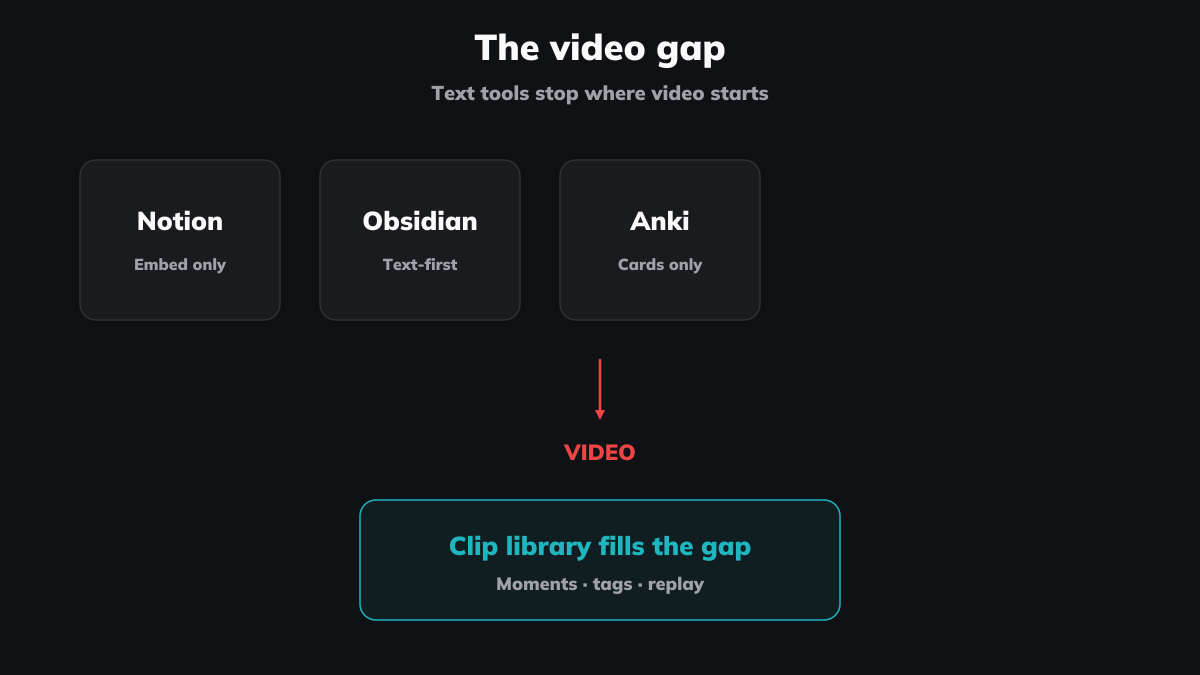
This is the gap Klipptik fills. Not a YouTube downloader. Not a notes app. A library where the viewer — you — gets the curation tools the platform never built. Clip the moment. Tag it your way. Search across sources. Replay in 30 seconds when you need it.
Notion, Obsidian, and Anki get close, but they're text-first systems being stretched to fit video. The thing they're reaching for is a separate tool, not a plugin.
Next time you click Watch Later, ask the awkward question: am I building a library here, or another graveyard?
Start a library, free, no account required.