
Tutorial
How to Build a Video Knowledge Base from Coding Tutorials You've Already Watched

You're 90 minutes into a debugging session. The bug is a useEffect cleanup edge case. You know — know — that Theo explained exactly this in a video you watched six months ago. You can almost see the frame. The one where he draws the timeline arrow on screen and says "this is where the cleanup runs."
You spend twenty minutes searching YouTube. Then twenty minutes scrubbing through three different videos at 2× speed. You find it eventually. Or you don't, and you read four Stack Overflow threads instead, and you're another hour deep before the real debugging restarts.
If you watch coding tutorials at all, you've lost more time to scenes like that than you'd care to count.
Eighty-two percent of developers learn from online resources, per Stack Overflow's 2024 Developer Survey — videos, blogs, forums. Most of that content sits inside long videos you'll never rewatch in full. The interesting question isn't whether to watch coding tutorials. It's what to do with the ones you've already watched.
This post is about building a video knowledge base — a personal, searchable, tagged library of the moments worth keeping from videos you've already sat through. Not a defence of tutorial hell. Not a replacement for writing actual code. A reference layer for the developer who's past the beginner phase and treats video as a fast way to recall things they already half-know.
What we mean by "video knowledge base"
Most search results for "video knowledge base" are about something else entirely.
Companies like Loom and Synthesia use the term to describe internal video documentation — a support team records walkthroughs of the product, the videos go in a help centre, customers find them through search. That's a different problem with different tools. It's not what this post is about.
The personal version is closer to what Notion, Obsidian, or a folder of markdown notes does for text — except the unit is a video moment, not a paragraph. A clip with a start and end timestamp, a tag, sometimes a one-line note about what it teaches. Stored. Searchable. Replayable.
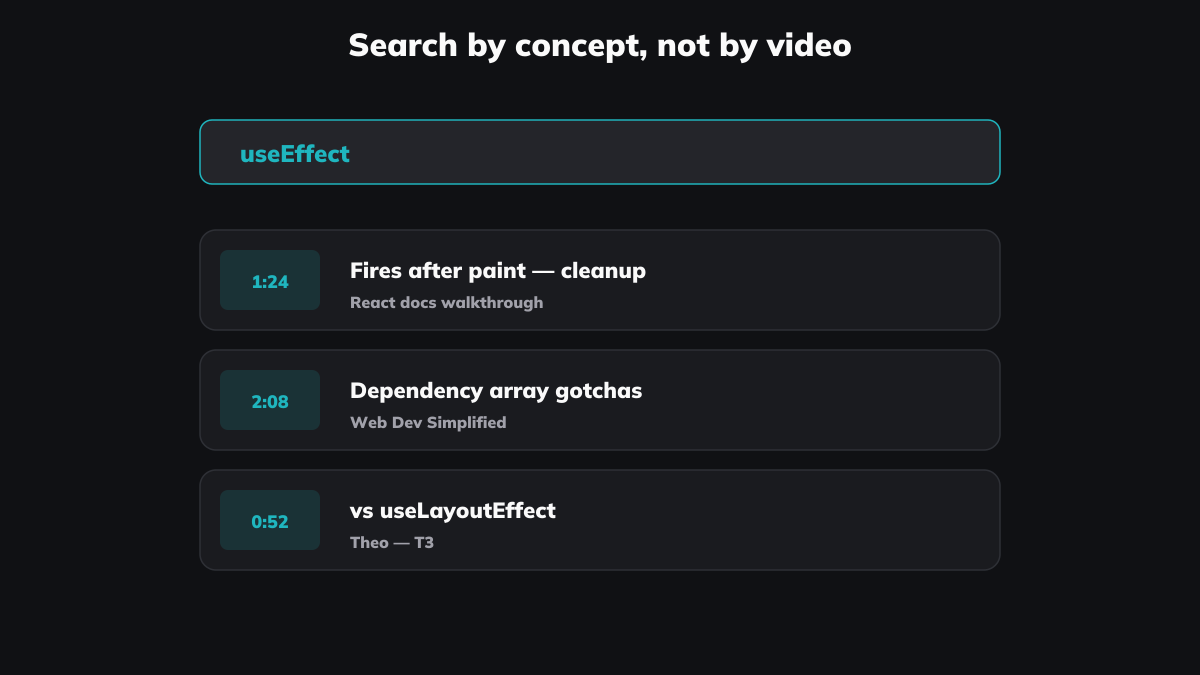
The Theo segment on useEffect cleanup. The Web Dev Simplified explanation of useReducer vs useState, buried somewhere in a 20-minute video with a forgettable title. The Hussein Nasser whiteboard moment about Postgres connection pooling, somewhere in the middle of a 50-minute deep dive. Each one a single clip in a library you can search by concept.
That's the unit of knowledge a video reference library is built from.
What every existing answer leaves out
Search "how to remember what you learn from coding tutorials" and the answers converge fast.
Three of them are versions of the same advice: modify the code, build a project, teach what you learned. Carl Anderson's three-method essay covers it cleanly. The advice is right, mostly. Active recall beats passive watching. Building beats consuming.
The fourth answer is Anki. PKM-aware developers write spaced-repetition cards from each tutorial — one card per concept, reviewed on a schedule. Skyleaf Design has a clean piece on this approach. It works.
The fifth answer — the one that's missing — is to keep the explanation in the medium that taught it.
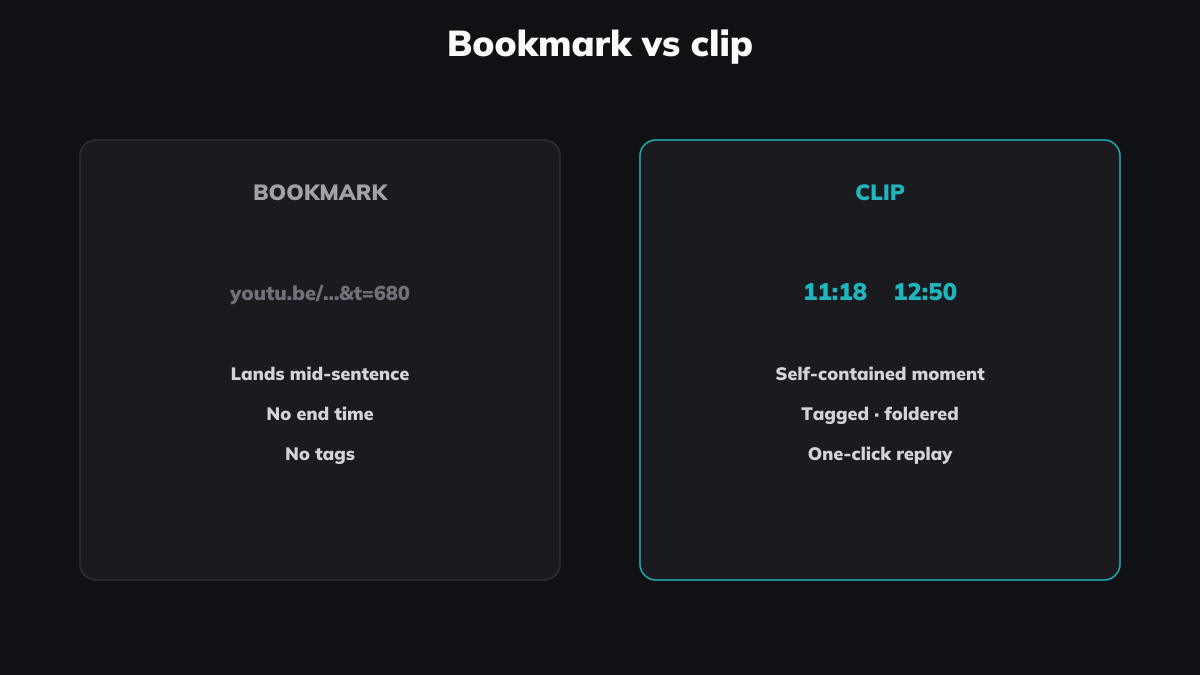
Anki cards are text. Notes are text. Build-projects-not-watch is doing, not preserving. None of them save the actual 90 seconds where Theo draws the timeline arrow. They translate the moment into something else, and the translation is always lossy. Watching Theo draw the arrow is doing different work than reading "useEffect cleanup runs after the next render's effects" written as a flashcard. The voice is gone. The pause before the punchline is gone. The diagram is gone.
The note is a pointer. The video is the knowledge. (We made a longer version of this argument about general video-watching, if you want the cognitive-science backing.)
When this is worth doing
The loud counter-position in self-taught-developer communities is that video tutorials are a waste of time, full stop. The r/learnprogramming megathread on tutorial hell has a high-upvote comment that puts it bluntly: video tutorials are universally a waste of time, no added benefit, lots of added problems.
That position is loud and not wrong about beginners. If you're in your first year of a language, no library substitutes for typing the code yourself. Watch less. Build more.
Clipping starts paying off at the intermediate level and up. The pattern looks like this: you've learned the language, you're shipping production work, and you remember half-watching the exact explanation of the thing you're now stuck on. The video isn't your primary learning channel anymore — it's a fast-search index of moments you've encountered before. That's the audience this post is for.
A clip library doesn't replace practice. It replaces re-watching. Those are different costs.
The workflow — folder structure and tagging
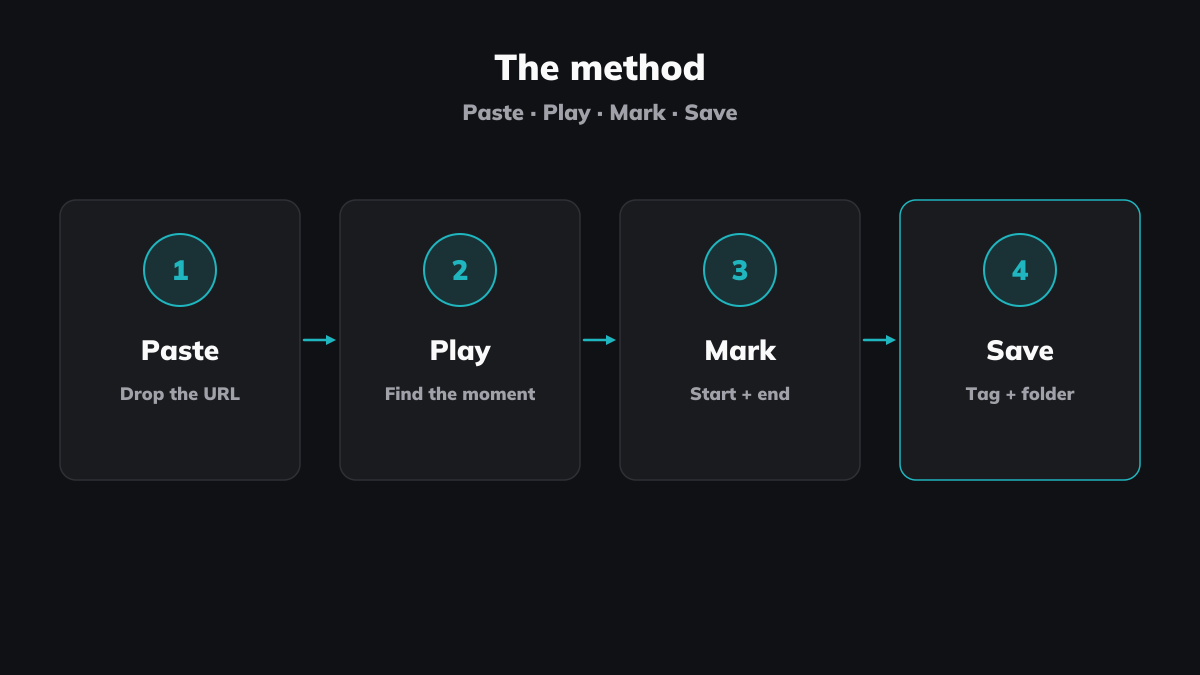
Three decisions get you a working library: how to organise folders, how to tag, and what counts as worth clipping. Get them roughly right on day one. Refine later.
Folders by concept, not by channel
A folder per creator feels intuitive — Theo, Web Dev Simplified, Hussein Nasser. Don't do it. You'll never browse by channel; you'll search by concept. Six months in, you want every clip about useEffect, regardless of who explained it best. Folders by concept win on search ergonomics every time:
react/hooksreact/state-managementdatabases/postgresdatabases/indexingauth/jwttooling/vim
Channel becomes a tag on the clip, not a path. Same with language and framework.
Three layers of tags
More than three tag axes turns into a maintenance project. Three is enough.
Language or framework. react, typescript, python, postgres, vim. One tag, no nesting.
Concept type. definition (what is X), demo (here's X working), debug-story (here's X going wrong), gotcha (here's the thing nobody tells you), architecture (here's why X exists). Pick whichever applies — usually one, occasionally two.
Personal rating. Three levels. gold — would replay on its own, voice and all. useful — worth knowing it exists. maybe — low confidence, prune at the next review pass. Skip a five-star scale; you'll never use the middle three.
Three axes filter to the exact thing you want. react + gotcha + gold returns five clips, not five hundred.
What counts as worth clipping
Clip the explanation, not the topic intro. Clip the gotcha, not the syntax demo — the docs cover syntax better than any video. Clip the moment where the presenter says "the thing nobody tells you is..." or draws something on screen. Skip the "in this video we'll cover" preamble. Skip the outro.
A useful test before you clip: would past-you, six months ago, have wanted this clip ready when you were debugging? If no, don't bother.
Where the system pays off
The first month feels like overhead. You're clipping more than you're searching.
That changes around the 30-clip mark. Once you have 30 clips across 5–10 concepts, the search starts beating the watch. Bug at 9pm Friday — open the library, search useeffect cleanup, hit play. Three clips come up: the Theo timeline-arrow segment, a Jack Herrington 90-second on the dependency array, a Hussein Nasser brief on cleanup-vs-teardown semantics. You watch the one that fits the bug. Twenty seconds, not twenty minutes.
The compounding move is cross-channel comparison. The same concept explained by three different developers is more useful than any single explanation. Theo's take on useEffect is direct and slightly chaotic. Web Dev Simplified is methodical and slow. Hussein Nasser pulls in adjacent systems context that nobody else does. When you've clipped the same concept from all three, you can pick whichever framing matches the version of the bug you're stuck on. The library becomes a reference layer no individual creator could be.
One side effect worth flagging: your library naturally weights toward long-form content. Fireship's X in 100 Seconds series is great for first exposure to a tool, but a 100-second video almost doesn't need clipping — the whole thing is one clip. The longer-form Beyond Fireship deep dives are different. There's a 90-second nugget buried in a 25-minute video, and that's the case clipping was designed for. Short videos either get clipped whole or not at all.
This is the same workflow shape we've described from the trader-spreadsheet origin story — one column for tag, one for rating, one for what the clip teaches. The decision space is small enough that it works at any scale, from 30 clips to 3,000.
The honest limits
A clip library doesn't fix a few things, and we'd rather flag them up front.
Online clips load fresh from YouTube every time. If your wifi is dead, your library is dead too — at least for the YouTube-sourced clips. Local-file clips still play; they live on your device. We're adding more online sources over time, and the same trade-off applies to all of them.
The first 30 clips are slow. The compound effect doesn't kick in until you have enough material to search across, and that takes a couple of weeks of disciplined clipping. We'd rather say so than pretend the first day looks like the third month.
A clip library doesn't substitute for project work. The contrarians are right about that. It substitutes for re-watching, which is a different (and previously invisible) line item in your time budget.
If most of what you watch is short-form (under five minutes), clipping pays off less. Most videos that short are essentially one clip already. The system is built for the long-form tutorial and the deep-dive case where the gold is buried.
A workable system isn't unique to Klipptik. Reclipped takes a similar approach with a focus on text annotation rather than standalone clips, and a folder of timestamped browser bookmarks gets you partway there for free. Klipptik's bet is that the right unit for a developer's reference library is the moment, not the note about the moment — and that searching across thousands of moments by concept is what makes the library compound.
Stop rewatching the same tutorial. Klipptik is free, no account required.