
Story
How My Trading Spreadsheet Became a Personal Video Library
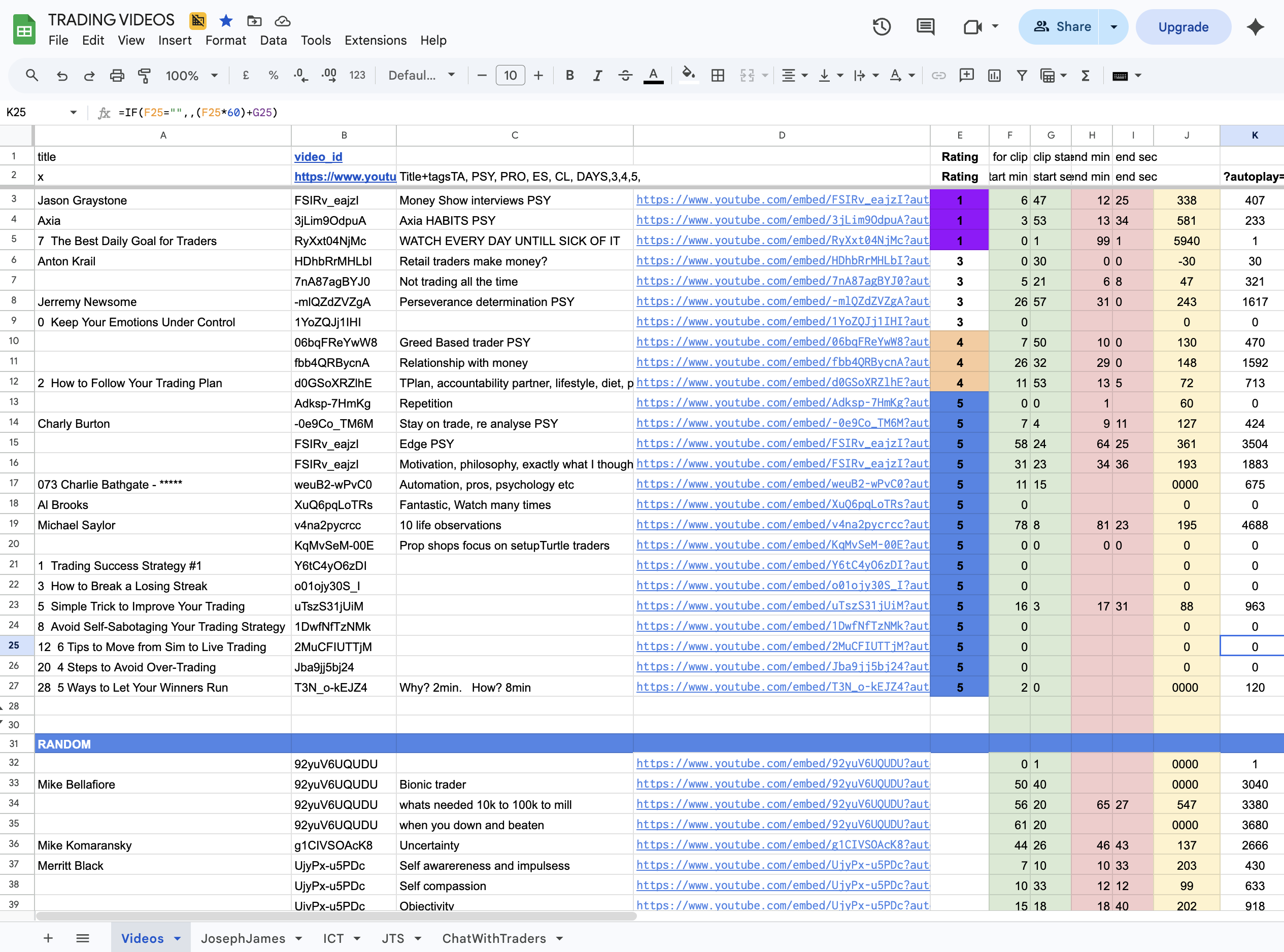
I started day-trading the NASDAQ in 2021. Range bars, scalping ten to twenty trades a day. Within a week I had opened a Google Sheet called TRADING VIDEOS. By the end of the first month it had thirty rows. By the time I stopped trading in April 2026 it had several hundred. It was, in effect, my personal video library — five years of clipped lessons stored as a spreadsheet.
The sheet held timestamps. Not videos — timestamps. Charly Burton at 56:24 on edge ("Edge PSY" — five-star, watch every Sunday). Jeremy Newsome from 26:57 on perseverance. Al Brooks against a row that read "Fantastic. Watch many times." A column for rating 1–5. A column for tag — PSY for psychology, TA for technical analysis, PRO for prop-shop content. A column for what each clip taught me, in eight or fewer words.
I rewatched only the timestamps that mattered. That was the entire learning system.
The sheet was a list, and I needed a library
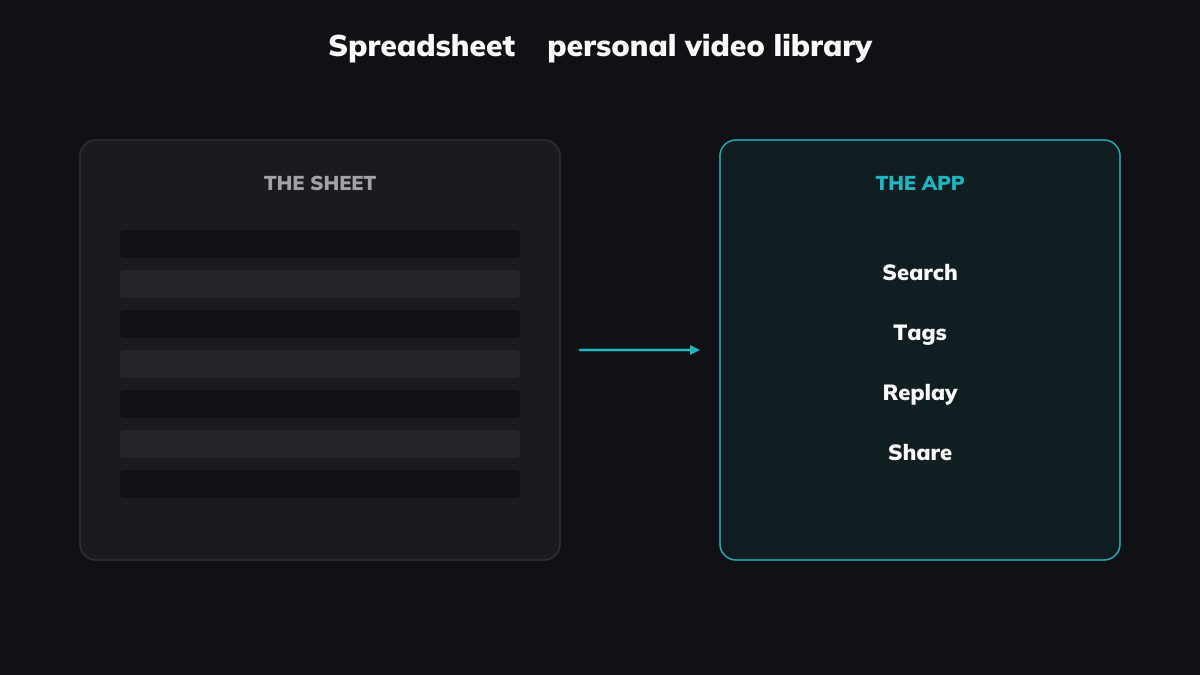
For four years it worked. I'd open the sheet at the end of a losing day, sort by tag, find the Charly Burton clip on staying with a trade, click the timestamped YouTube link, watch ninety seconds, close it. The compound effect of revisiting the right ninety seconds of a Charly Burton edge video over a year is hard to quantify — but I felt it in my P&L. (The forgetting curve doesn't care whether you saved the video. It cares whether you came back to it.)
But the sheet had limits I kept hitting. I couldn't filter "all clips on discipline" across thirty different speakers in one click. I couldn't watch a clip without copy-pasting the URL and the timestamp into a new tab. I couldn't rate clips inside the player — I had to alt-tab back to the sheet. The sheet was a list. What I needed was a library.
I'm a programmer. I knew what to build. I didn't build it. A video player with a custom timeline, folder tree, tag filter, and rating UI is real work — three or four weeks of side-project time I never had, because the trading came first.
What changed in April 2025
AI changed the math. I'd been using Windsurf and Claude for a few weeks. The same prototype that would have taken me three months of weekends in 2022 took four weeks of evenings in April 2025. Still slow. Still painful. But possible.
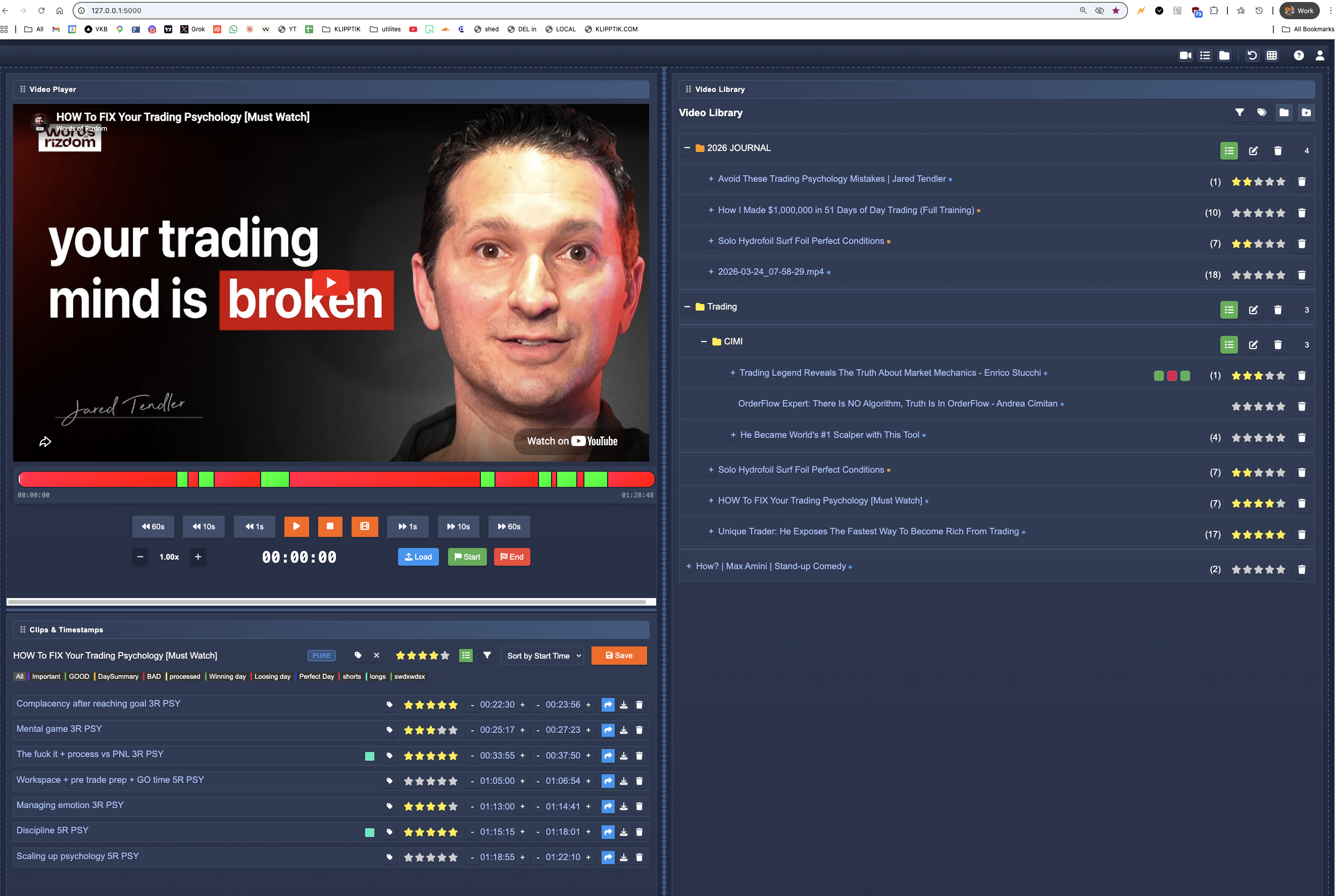
The first version was minimal — a left-side video player with a custom timeline, a right-side folder tree (one folder per topic, one subfolder per coach), and a bottom panel listing clips for the loaded video with star ratings and tag filters: Important, GOOD, BAD, processed, Winning day, Loosing day, Perfect Day, shorts, longs, lookbacks. None of those tags are sophisticated. They're what a trader uses.
The first video I clipped in the prototype was Jared Tendler's How to FIX Your Trading Psychology. I cut it into seven clips. I starred each one. I watched the five-star clips again that week.
The screen-recording breakthrough
The library on its own was useful. The thing that made it indispensable was screen-recording the trading sessions themselves.
I scalped ten to twenty trades a day across a three-hour session. I wrote a Sierra Chart script that committed a timestamp to a text file every time I entered or exited a trade. Then I added a hotkey — call it a voice-note shortcut, except for video — that wrote a timestamp the same way. "That trade I just exited — I broke discipline." Press the hotkey. Timestamp logged. Same mechanism, different intent.
After the session I'd open the screen recording in the prototype, load the timestamp text file as a clip list, and walk through twenty trades in fifteen minutes. The journal entries and the trades aligned in the same player. I'd compare a losing scalp at 09:47 with the Jared Tendler "Discipline" clip from earlier — 01:15:15 to 01:18:01, where he says discipline is a muscle that gets stronger the more you use it. Two video clips in the same library, one from a world expert, one from me, both addressing the same lesson.
That's the thing I couldn't get from a spreadsheet, a notes app, or YouTube playlists. None of them treat video moments as objects you can collect, tag, and replay across sources.
Why I stopped trading and started building this
I stopped day-trading in April 2026. The full-time work now is Klipptik.
The trigger wasn't burnout. It was the realisation that the gap I'd been working around for five years exists for everyone who learns from video. Med students rewatching anatomy lectures. Programmers re-finding that one Theo segment on useEffect cleanup. Designers studying typography talks. Researchers building a library out of YouTube interviews on a niche topic. Every one of them is in some version of the same Google Sheet, running some version of the same workaround.
There's a split I keep coming back to: video producers and video consumers. The producers — creators, podcasters, lecturers — have decades of tooling. The consumers have a Watch Later list and a thumbs-up button. Klipptik sits between them. It's for the consumer who wants to become a producer — not by making new content, but by curating, filtering, and re-presenting what already exists. The clip you keep coming back to. The ninety seconds you'd send to a friend. The personal video library you'd pay for if it were yours.
What I'd tell the 2021 me
Stop bookmarking. Start clipping. Use a tool that knows what a video moment is — start time, end time, tag, rating, searchable across sources — and revisit deliberately. The Google Sheet gave me five years of compound learning, but the upgrade was worth the wait.
If you're sitting in your own version of that spreadsheet right now — trading, studying, researching, learning a craft — Klipptik is free. No account, no upsell. I built it because I needed it. Maybe you do too.